
Overview
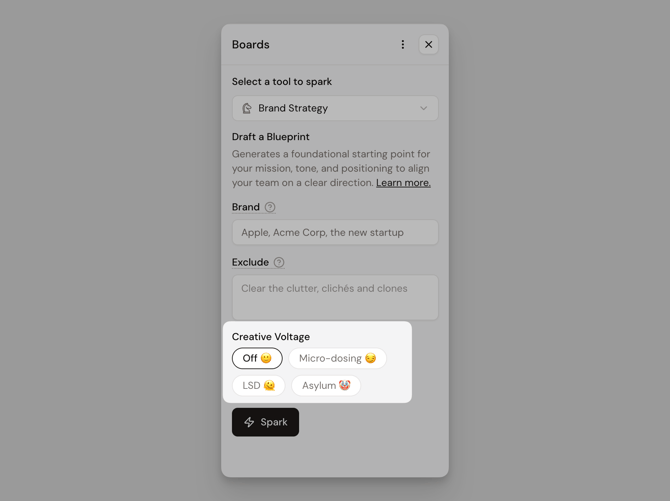
From precise and on-brief to weird and unexpected, Creative Voltage lets you dial how adventurous your outputs get. Use it to explore new angles, break patterns, and uncover ideas you wouldn’t land on otherwise.
You’ll find Creative Voltage at the bottom of your Boards panel, with four levels:
Off → Micro-dosing → LSD → Asylum
How to use Creative Voltage
🪧 Start with Off
You don’t need to turn it on for great results. Springboards already generates strong, on-brief ideas by default.
🎢 Turn it up when you’re stuck
Move from Micro-dosing → LSD → Asylum to push outputs into more unexpected, unconventional territory—while still anchored in your inputs.
⚡ Look for nuggets
Higher voltage can get weird. That’s the point. Even the strangest ideas often contain a sharp insight or creative angle worth refining.
Note: We recommend turning Creative Voltage to "Off" when using The Validator tool to do research.
Tips to get the most out of it
-
Inputs are your guardrails: Your inputs define the boundaries. More detail = more control. Less detail = more freedom to explore.
-
Compare grounded vs. wild: Run the same prompt on Off and Asylum. The best ideas often sit somewhere in between.
-
Try the triple spark: Spark once at three different levels. Don’t overthink—generate, step back, and scan for what stands out.