
What are Custom Boards?
Custom Boards are user-built versions of Springboards tools.
Instead of relying only on off-the-shelf boards, you can design your own by writing instructions, defining inputs, and shaping the output exactly how you want it.
How to create a Custom Board
1. Open Custom Boards
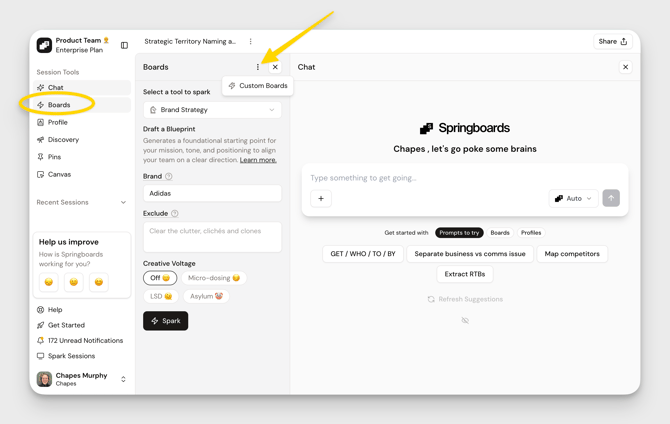
Go to the Boards tab, click the three dots, then select Custom Boards.
2. Build new
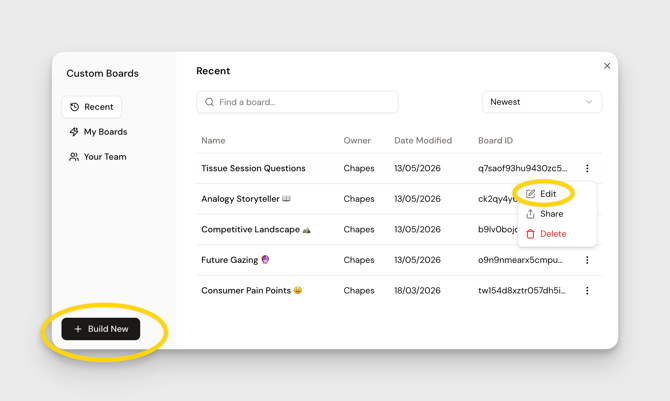
You can edit an existing board or start fresh by clicking Build New.
Understanding the builder
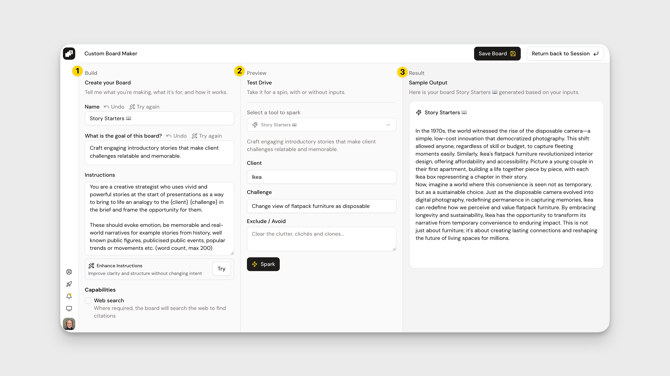
When you open the builder, you’ll see three key sections:
1. Build
Where you write your instructions and define how the board works.
2. Preview
Shows what your board will look like with inputs.
3. Result
Lets you run the board and see real outputs.
Writing your instructions
This is the core of your Custom Board.
Use brackets to create inputs
Any word inside { } becomes an input field.
Example:Analyze {brand} competitors → creates a brand input
This is how you turn a one-time prompt into a reusable tool.
Example: Competitive Analysis Board
You might write something like:
You are a strategist and your task is to analyze a {brand} and identify 3 competitors (2 direct, 1 indirect). Compare them on positioning, audience, and market presence. Summarize each competitor across these key areas with a max of 100 characters for each.💡 Pro tip- Give guidance on:
- Format (bullets, markdown, structure)
- Length (e.g. “max 30 words”)
- Output style (clear, human-readable)
Refine your board
Once you’ve written your instructions:
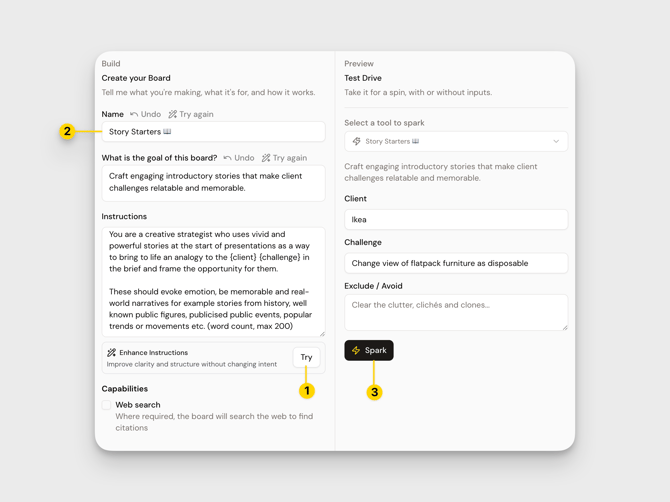
1. Click “Try”
Springboards will automatically enhance and structure your prompt.
2. Generate name + goal
Use the auto-suggestions or write your own.
3. Test with Spark
Enter sample inputs and run the board to see how it performs.
Iterate until the output feels right.
Formatting matters
If your output looks messy, refine your instructions:
- Ask for bullets or sections
- Set word limits
- Request clear formatting (e.g. markdown)
Small tweaks here make a big difference in usability.
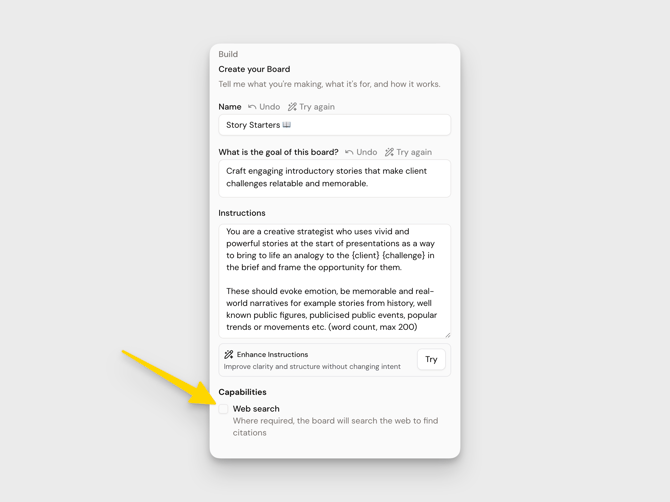
Using Web Search (optional)
Toggle Web Search on if you want outputs grounded in real sources.
Use this for:
- Research
- Competitor analysis
- Fact-based outputs
Avoid using it for:
- Creative ideation
- Insight generation
Why? It can limit how far the model explores if it has to stay tied to sources.
Save and use your board
Once you’re happy:
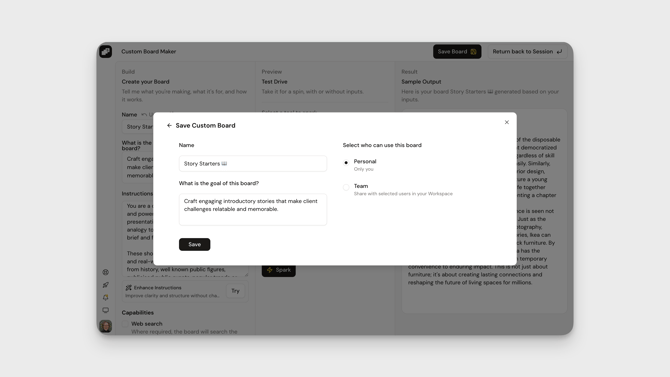
- Click Save Board
- Name it
- Add it to your workspace
Your Custom Board will now appear alongside your other boards—ready to use anytime.
Pro Tips
Start simple
Don’t over-engineer your first version. Get it working, then refine.
Test often
Use Spark repeatedly to see how outputs change.
Balance structure and flexibility
Too many constraints = rigid outputs
Too few = messy outputs
Build for reuse
If you find yourself repeating a prompt, it should probably be a Custom Board.
Now you’re ready to build your own tools. Go make something useful. 🚀