
Step 1: Watch the Quickstart Video (5 mins)
Start here. This quick walkthrough shows you how to launch your first session and get moving inside Springboards.
Step 2: Log in
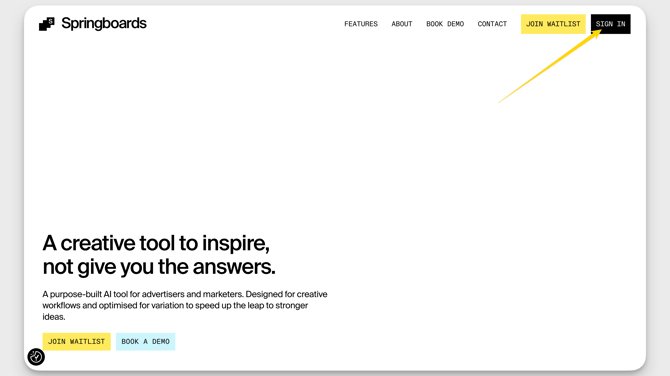
1. Access the site! head to https://springboards.ai/
2. Hit the big SIGN-IN button in the top right-hand corner.
3. Use your work email to login. (No password required; we’ll email a sign-in link if needed)
Step 3: Start Your First Session
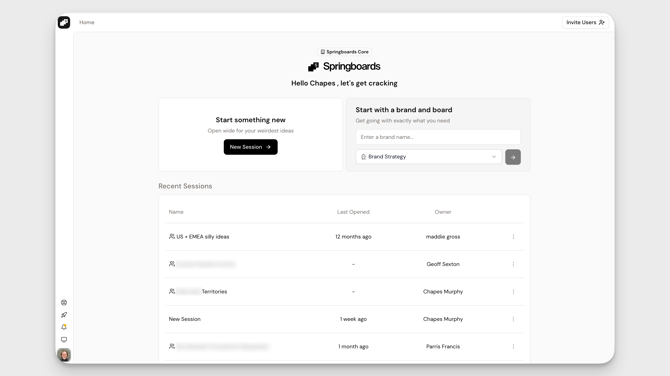
After logging in, you’ll land on your dashboard. That’s your basecamp for jumping into projects.
From here, you can start a brand-new session, begin with a brand, or jump back into a previous session.
Step 4: Set Your Foundation
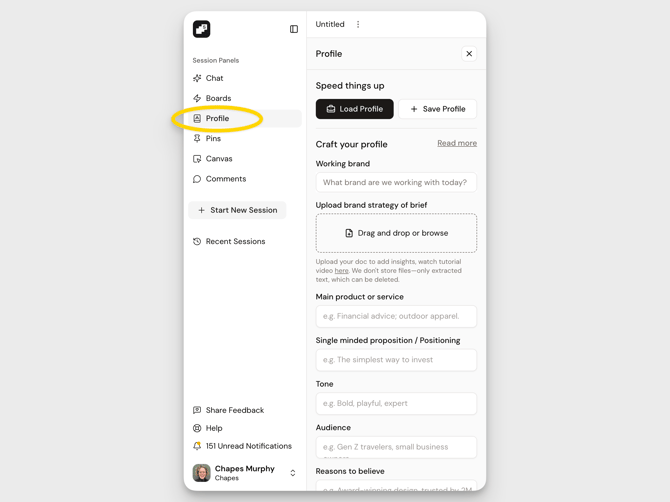
Before you dive in, open your Profile from the left-hand menu.
This is where you brief Springboards on your brand, audience, tone of voice, and key context. Giving the tool direction upfront leads to sharper, more aligned outputs across every conversation and Board.
You can update your Profile anytime as your thinking evolves.
Step 5: Start Thinking
-
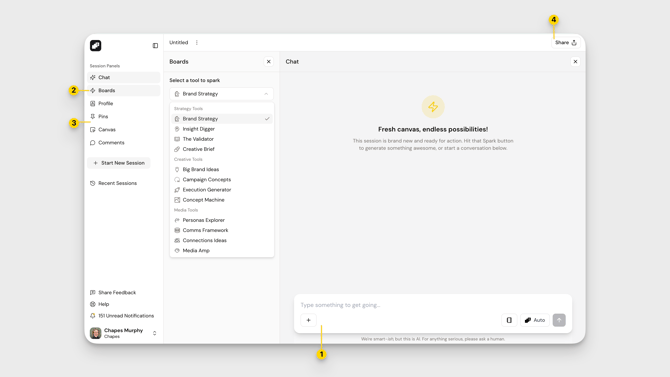
When you enter a session, you’ll land in Chat. Every session begins conversationally. Type a prompt, paste in a half-formed thought, upload a document to get going instantly.
-
When you’re ready to structure or deepen the work, open the Boards panel from the left-hand menu. Each Board in the drop-down is a specialist tool to support a different stage of strategy, creative, or media thinking.
-
As you build, pin Highlights to save standout ideas, Canvas to bring your strongest outputs together, and Comments to collaborate.
-
Want extra eyes on it? Hit the Share button in the top right-hand corner to invite your team in.
Want to explore further? Check out the Board Guides for deeper walkthroughs of each tool.