Comms Framework Tool
The Comms Framework tool helps you build a sharp, strategic communication plan.
Turning Barriers into Breakthroughs.
What's This Board For?
The Comms Framework board helps you turn strategic roadblocks into creative breakthroughs. It’s designed to identify the barriers between your audience and your message. Then flip them into clear communication tasks.
Whether you're shaping messaging, campaign architecture, or media strategy, this board helps you build a smarter, sharper plan.
How to Use It
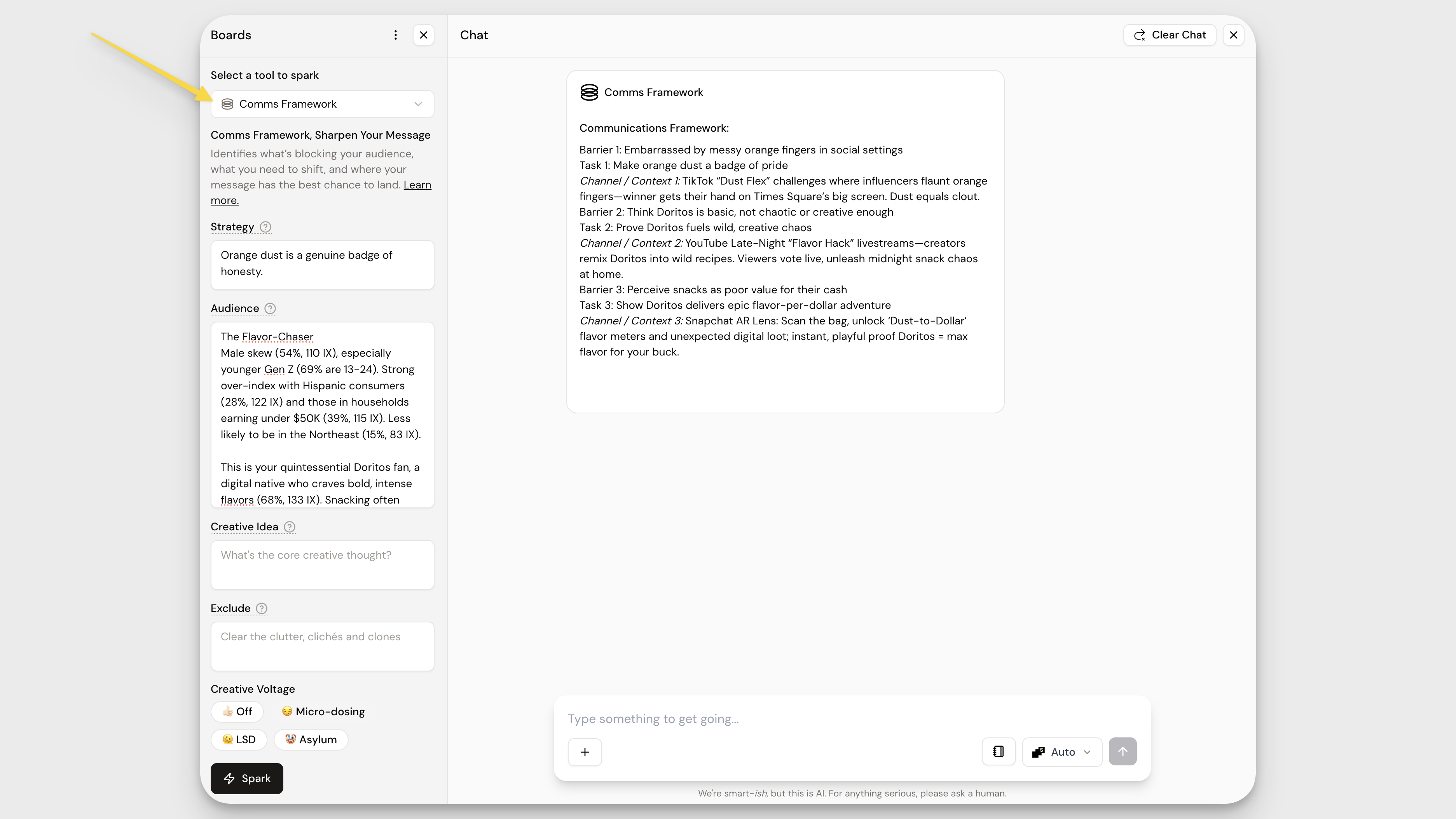
- Drag in your inputs. Choose which fields to fill: Strategy, Audience, or Creative Idea. You can use all three, or leave some blank to give the tool more room to play. For speed, drag in anything you've already pinned: audiences, insights, briefs, or ideas.
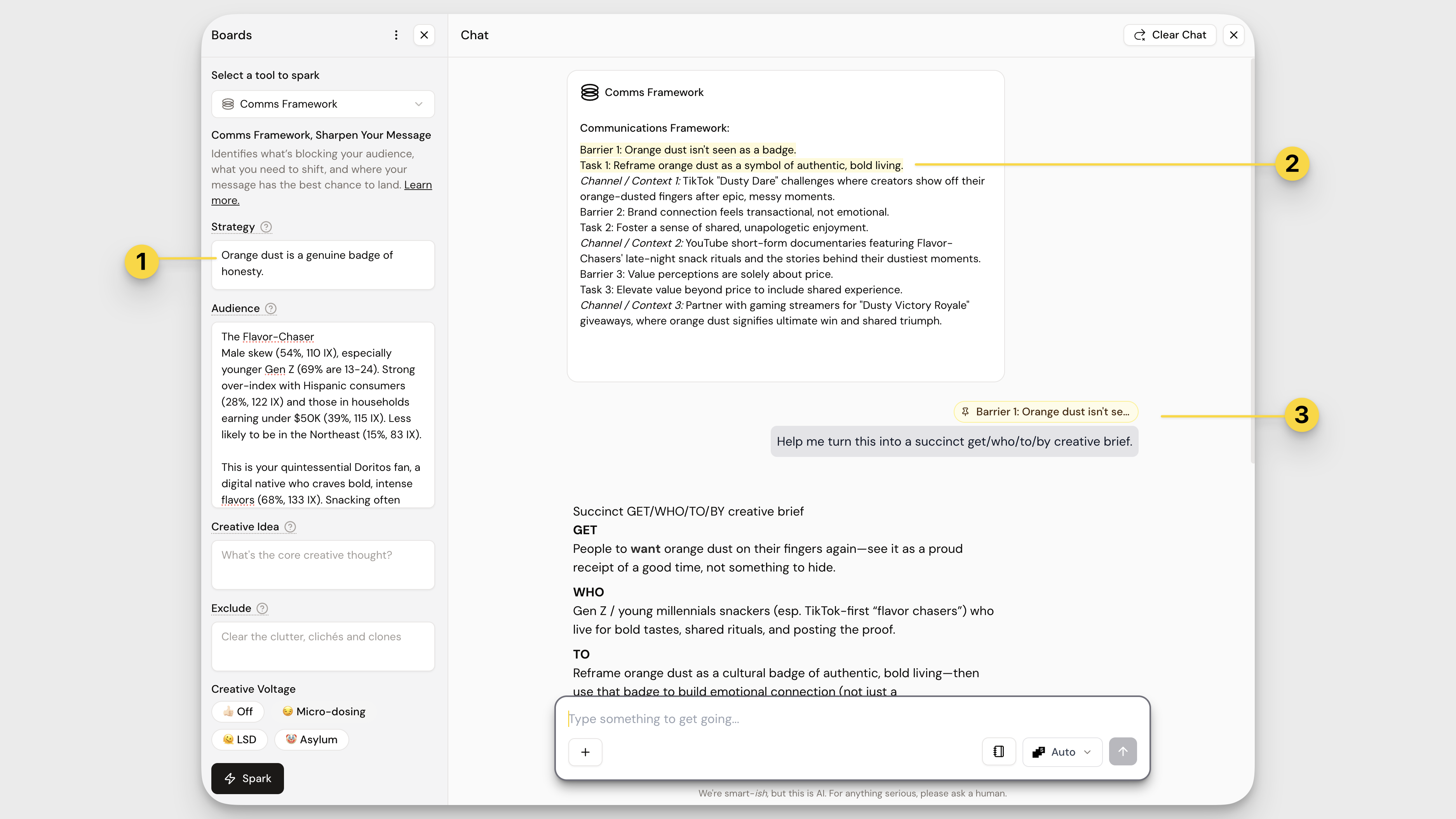
- Spark and spot the roadblocks. Hit Spark and review the barriers that surface. These are the blockers keeping your audience from acting. Highlight and Pin the biggest ones to address.
- Turn problems into strategy. Use each barrier as a launchpad. What message would shift this belief or behavior? Craft your communication tasks one by one, and use Chat to help take ideas to the next level.
Understanding the Output
Each time you Spark, the Comms Framework tool delivers three communication breakdowns, each one linking a clear barrier with a strategic task and potential channel.
Here’s what each section includes:
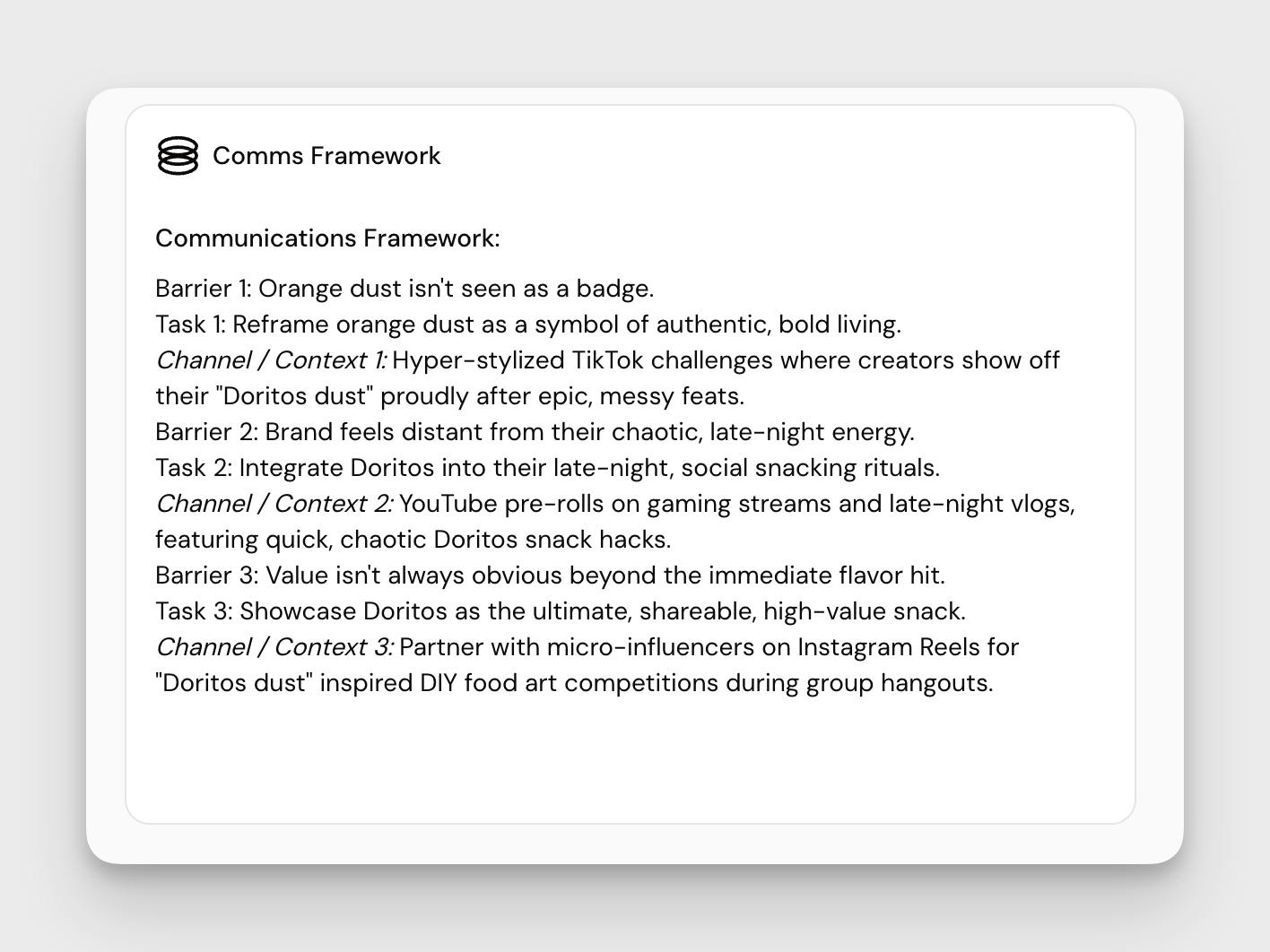
Audience Barrier What’s stopping your audience from doing what you want them to do? | This is the mental, emotional, or contextual blocker that needs to be overcome. |
Communication Task What message or idea could shift that barrier? | This is your strategic assignment , the job your comms need to do to drive change. |
Channel / Context Where (or how) could that message land best? | This gives you a suggested media environment, moment , or flags where media might not be the answer at all. |
Heads Up
- Garbage in = garbage out. Make sure your strategic inputs are solid.
- Not all barriers are created equal, prioritize the ones that matter.
- Don’t breeze past the insights, strong understanding leads to stronger comms.
- If you don't populate your audience input field, the system will pull from your Profile.
Pro Tips
- Not sure what problem to use in Insight Digger? Jump to Comms Framework first. Barriers work well as problem statements.
- Swap in different insights or strategies to explore alternate messaging routes for the same audience.
- Try bringing in a persona from Personas Explorer to narrow in on barriers for a specific audience.
- Don’t be afraid to let “where to next” suggestions in the center guide you.
Now go find some barriers and turn them into launchpads! 🧠
How did we do?
Personas Explorer Tool
Connection Ideas Tool
