Chat
Center Chat turns your sparks into a living conversation, so you can explore, refine, remix, and make meaning faster.

Your starting point in every session.
Every session in Springboards starts in Chat. It’s the default panel and the engine behind everything else.
Springboards is built to help you think, not just generate. Chat turns your sparks into a living conversation so you can explore, refine, remix, and make meaning faster. Everything stays in one place, so you can move from spark to structure without losing momentum.
🎥 Watch how Chat works (4 min)
What You Can Do in Chat
Chat is your main workspace for shaping and sharpening ideas. You can refine territories through conversation, upload documents to ground the thinking in real material, analyse what’s already on your Canvas, and turn rough sparks into structured narratives.
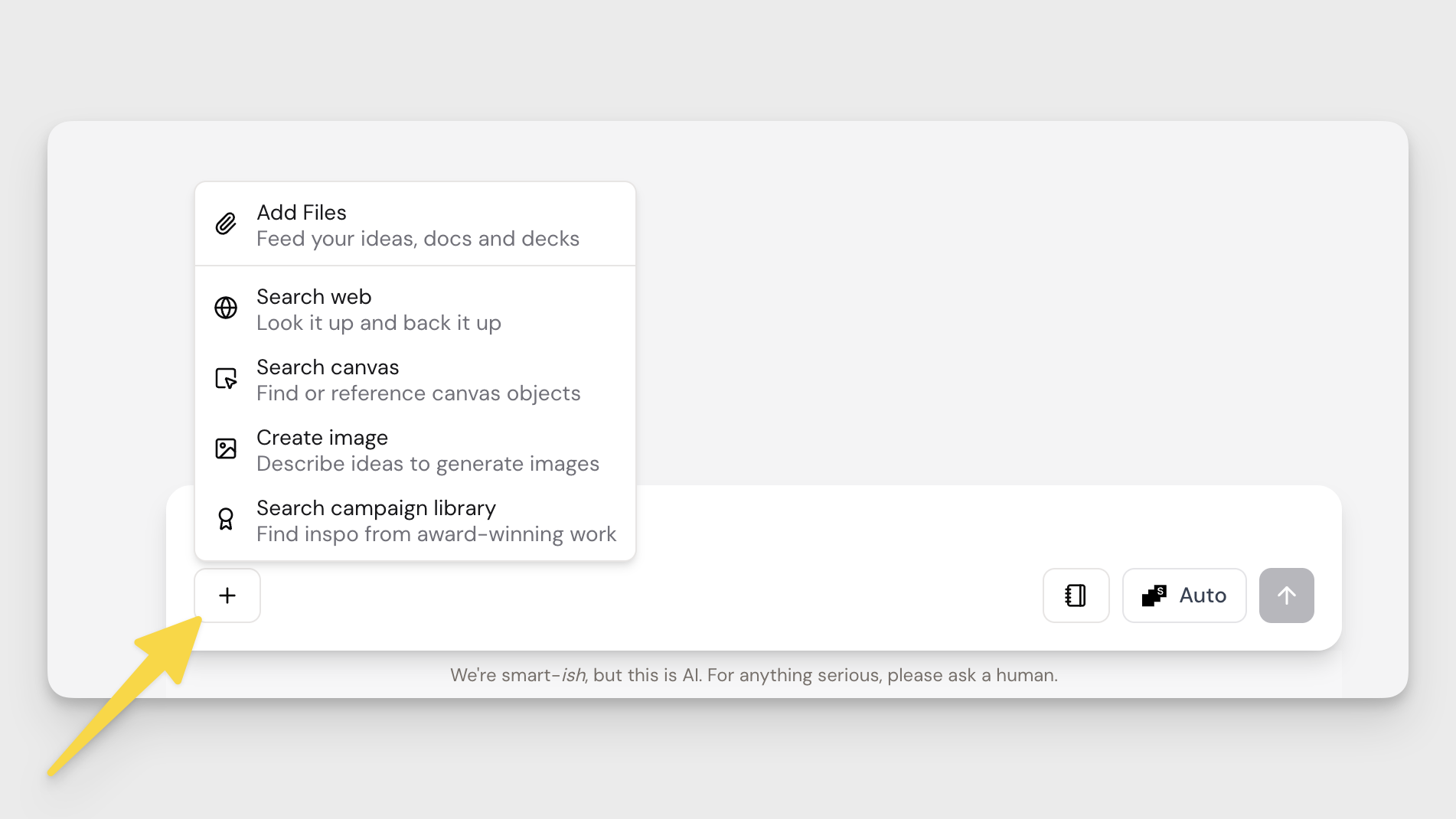
Use the + button to add files, search the web, search your Canvas, create images, or pull case studies from the campaign library.
Whether you’re pressure-testing a strategy, remixing a territory, or building out a deck-ready story, Chat keeps the thinking connected and moving forward.
Profiles in Chat
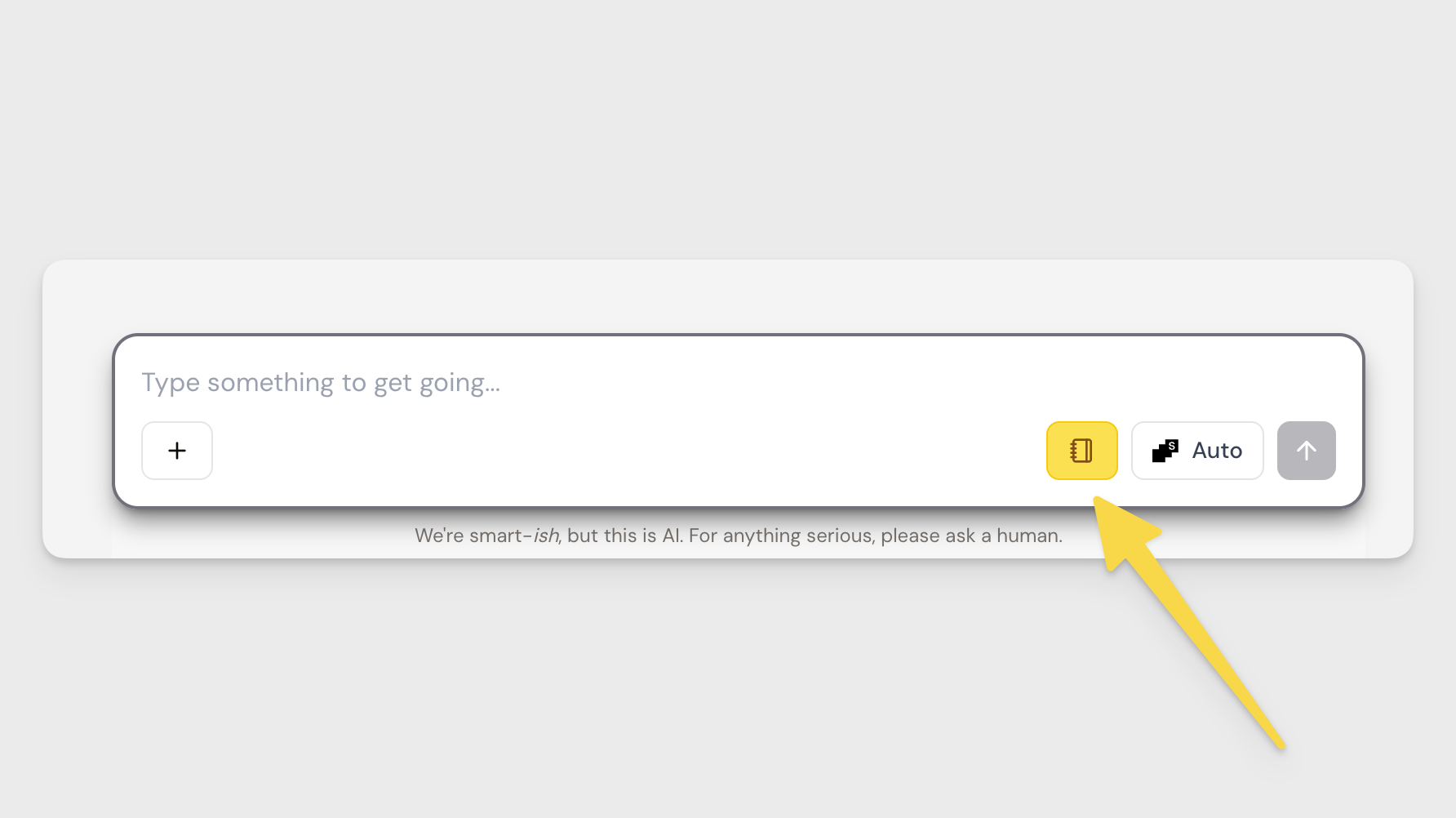
If you want Chat to stay on-brand, click the notebook icon to apply your Profile to the conversation. When it’s on, Chat will use your brand context to guide its responses. You can toggle it on or off at any time.
Chat + Canvas (4 min)
Chat can read and work with what’s on your Canvas. Use it to summarise what you’ve built, spot gaps, connect territories, or turn fragments into a clear narrative.
🎥 Watch: Working with Chat + Canvas
Switching Models
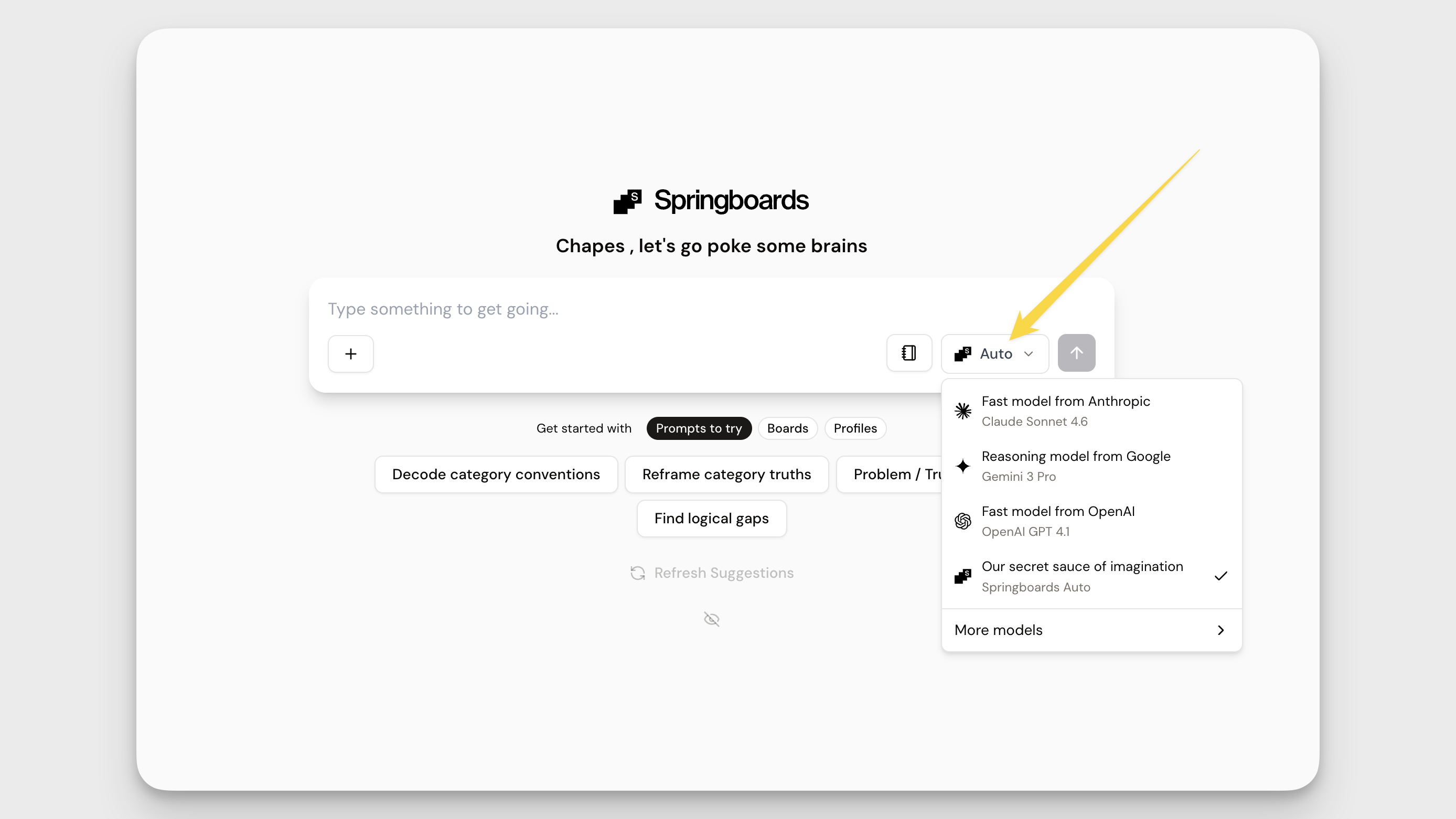
Springboards defaults to Auto, which is designed for everyday creative and strategic thinking.
If you want a different kind of output — deeper reasoning, faster processing, or more structured analysis — you can switch models anytime depending on the task.
Try Asking…
To explore or analyse your existing work, click the + button and select Search Canvas, then try prompts like:
- “What’s on my Canvas?”
- “Summarise my research pins.”
- “Which territory is strongest and why?”
- “Turn this into a deck narrative with problem, insight, and idea.”
How did we do?
Master the Basics
Your Dashboard Guide
